
How Slates Can Help Track Vacuum Sewer Pits in the Field
10/27/2026
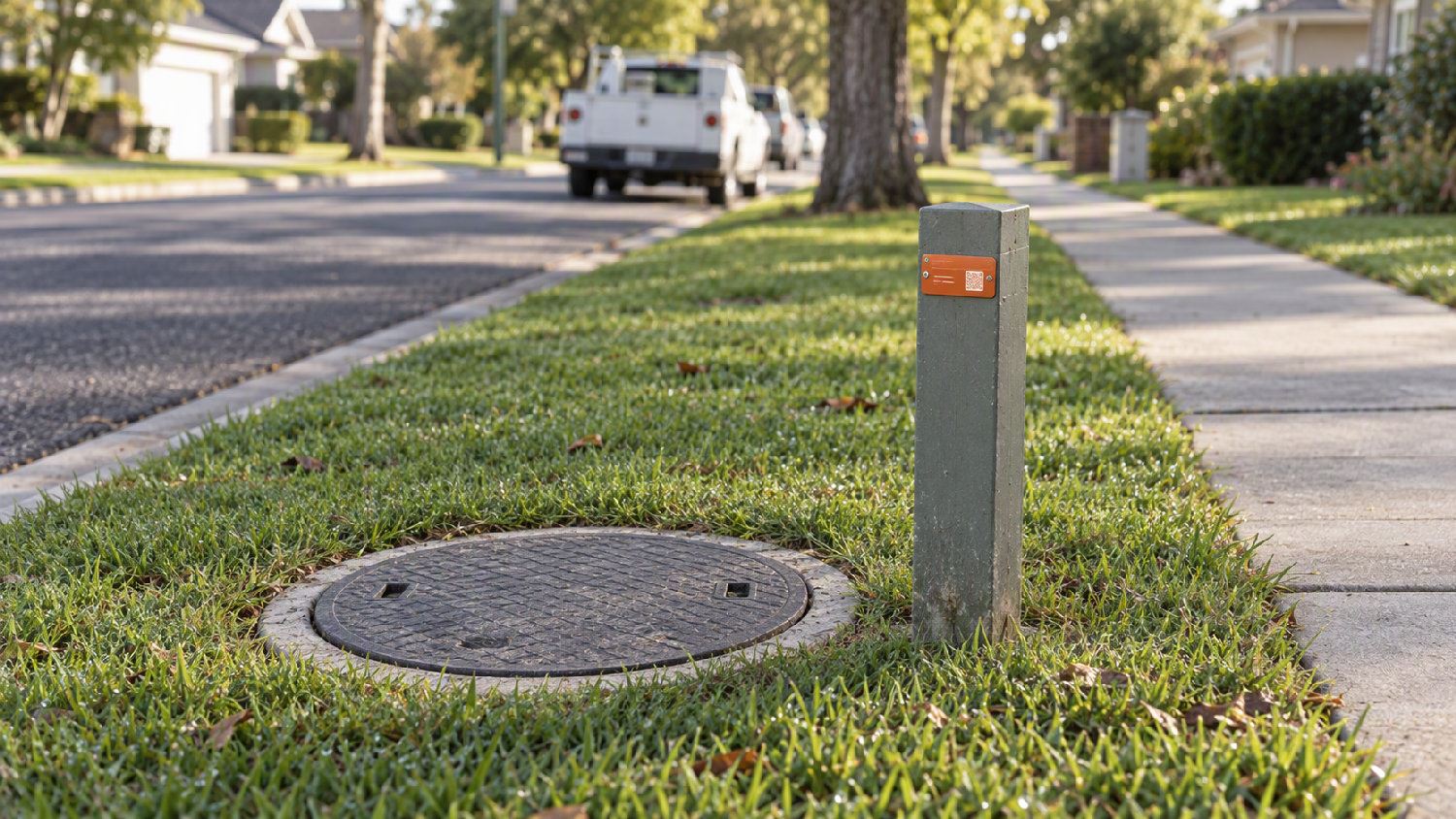
Put pit details, inspection notes, photos, and maintenance history where operators need them: at the pit.
A vacuum sewer pit may have a clear identifier on a system map, yet its field history is harder to pin down. The last valve visit sits in a work folder. Photos live on someone’s phone. A note about a recurring issue remains with the operator who found it.
That gap matters because each pit is a distinct service point with its own location, interface valve, collection sump, and maintenance history. When operators have to reconstruct that history before each visit, routine fieldwork starts with a records search.
Putting a QR-linked record at each pit gives the crew a more direct path. An operator scans the Slate on Pit VP-214 at 86 Cedar Lane, and that pit’s record opens on the phone—right where the work takes place.
Why pit records become scattered
Vacuum sewer systems bring several connected assets together: collection pits, interface valves, sewer mains, and the vacuum station. Published vacuum sewer guidance treats operation, preventive maintenance, emergency work, and record keeping as connected parts of managing the system. EPA collection-system guidance also emphasizes documented inspections, maintenance, mapping, and records.
Yet the information for one pit may be split across several places. A system map shows the location. An inspection sheet holds the last visit date. Photos sit in a folder labeled by route, and repair notes appear under a work order number rather than the pit identifier.
Each source may be useful on its own. The problem appears when an operator standing at Pit VP-214 needs the complete picture before opening the cover or starting the utility’s established procedure.
A point-of-work record reduces that search.
Build one record around each pit
A useful pit record starts with stable facts, then adds field history over time. Slate Pages lets a utility choose fields that match its own naming rules and maintenance process rather than forcing every pit into a fixed template.
Fields for a vacuum sewer pit might include:
- Utility asset ID and the field name used by operators
- Street address or location description
- Map location for office reference
- Pit type, valve details, and other known equipment information
- Connected property or service area, where appropriate
- Installation date and relevant service dates
- Current and previous photos
- Inspection notes and journal entries
- Links to approved drawings, manuals, or internal documents
- A phone number or email address for the responsible contact
The record should stay focused on information the crew uses. A long form with dozens of unused fields creates another clipboard in digital form, while a short record built around real field decisions earns its place.
Consistency matters as much as detail. If one pit uses “VP-214,” another uses “Cedar 214,” and a third uses only a street address, office staff still have to reconcile names after the visit. Choose one naming pattern and apply it to every Slate in the pilot group.
Match the tag to the field setting
Every vacuum sewer pit gets its own QR tag, called a Slate. Available formats include vinyl or paper stickers, armor-coated PVC, and laser-etched anodized aluminum. Site conditions determine the right choice.
Before placing the tag, look at how operators approach the pit and where they already pause. The Slate belongs on a safe, reachable surface that crews can scan without interfering with the cover, access procedure, or required markings. Moisture, sunlight, abrasion, cleaning methods, and routine contact all affect placement and material choice.
A tag is only useful if it remains readable and clearly belongs to the correct asset.
What happens during a field visit?
At Pit VP-214 on Cedar Lane, an operator holds up a phone and scans the Slate. With the iOS or Android app installed, the scan opens that pit directly in the app. Without the app, the same tag opens a web view in the phone’s browser, and no account is needed to scan and read the record.
The operator reviews the identifier, prior notes, service dates, and photos before following the utility’s normal inspection procedure. If the operator has update access through the app, the new date, observations, and photos go into the record while the asset is in front of them. Offline mode exists for work in places where connectivity is unreliable.
This approach keeps data entry close to the moment that produced the information. The operator does not have to remember which photo belongs to which pit at the end of a route, and the office does not have to interpret a note that says only “valve pit near corner.”
Tagging does not prove that an inspection occurred. The value comes from making the utility’s existing process easier to carry out and document at the correct asset.
Illustrative scenario: a repeat valve concern
The following example is fictional, but it shows how the workflow fits a routine field response.
A service report sends an operator to Pit VP-214 at 86 Cedar Lane. Before beginning the utility’s field procedure, the operator scans the armor-coated PVC Slate mounted at the approved access point. The record shows a note from the prior visit and two dated photos of the interface valve chamber. One image gives the operator a useful comparison for the current condition. A linked phone field also puts the on-call supervisor one tap away.
After completing the approved checks, the operator adds the visit date and a concise journal entry. A new photo records what was visible during the visit. The operator also notes the follow-up already identified through the utility’s maintenance process.
Back at the office, the collection-system manager opens the Slate Pages web Dashboard. List view provides a structured view of the pit records, while Map view helps staff review their locations. The manager reads the new entry under VP-214 instead of waiting for a separate photo upload and handwritten notes.
When a contractor needs background on that pit, the manager shares the Slate as a web link. The contractor opens a readable browser view without creating an account. The pit now has one clearer thread of field history, even though the utility’s inspection rules and work decisions remain unchanged.
Better handoffs start with usable entries
A shared record works best when each update gives the next person enough context. “Checked—OK” says little about what the operator saw, which procedure was followed, or what deserves attention later.
A stronger entry identifies the date, the reason for the visit, and the observed condition. It includes a useful photo when one adds context. If follow-up has already been identified, the note states it in the utility’s normal terms without turning the Slate into a diagnosis or an automatic work system.
Tap-to-call and tap-to-email fields also shorten the handoff when the record includes an approved supervisor, dispatcher, or service contact. Those fields make the contact information usable from the pit instead of burying it in a directory.
Over time, dated journal entries give operators a readable account of prior visits and part changes. That operational memory becomes especially useful when staff rotate routes or a pit develops a repeat concern.
Start with a focused group of pits
A first rollout does not need to cover the whole collection system. Choose a group that gives the team useful feedback, such as one service area, one inspection route, or several pits with repeat visits.
Use this checklist to prepare the pilot:
- Set the naming rule. Match every Slate to the asset ID used by field and office teams.
- Choose the core fields. Include only the details operators need before, during, and after a visit.
- Review tag placement. Select a safe, reachable location that does not interfere with access or required markings.
- Pick materials by site condition. Compare sticker, armor-coated PVC, and anodized aluminum formats against moisture, wear, and exposure.
- Define a useful field entry. Give crews a short standard for dates, observations, photos, and follow-up notes.
- Check the handoff. Confirm that field updates give supervisors enough context to understand the visit.
- Review the first records. Remove fields that go unused and clarify labels that produce inconsistent entries.
The best pilot group is one the crew visits enough to judge the workflow. A rarely opened pit will reveal little about whether the record fits daily work.
Where Slate Pages fits
Slate Pages puts an asset’s record on the asset itself. It serves field teams and managers who need equipment information, inspection history, photos, dates, notes, links, and contact details at the point of work, with mobile access in the field and Dashboard views for the office.
For vacuum sewer operations, Slate Pages removes steps between finding a pit and finding its history. It also gives each new entry a clear home tied to that specific asset. Established inspection procedures, safety practices, maintenance decisions, and operator judgment still guide the work.
About Slate Pages
Slate Pages gives field teams and office staff shared access to asset-specific records through QR-linked Slates. Scanning a Slate opens the tagged asset’s record on a phone or tablet, while the web Dashboard provides List and Map views for reviewing records from the office.
Give the pilot a clear test
Before tagging the first group, decide what the crew will judge after several real visits: whether operators found the right history at the pit, whether entries were clear to the office, and whether the selected tag held up in its setting. Those questions produce better decisions than counting scans alone.
Choose one route or service area, define the record fields with the operators who will use them, and review the results after field use. To discuss how Slate Pages records and tag formats could be structured for your vacuum sewer pits, contact Slate Pages.