
Inspection Records After a Job-Site Injury
10/27/2026
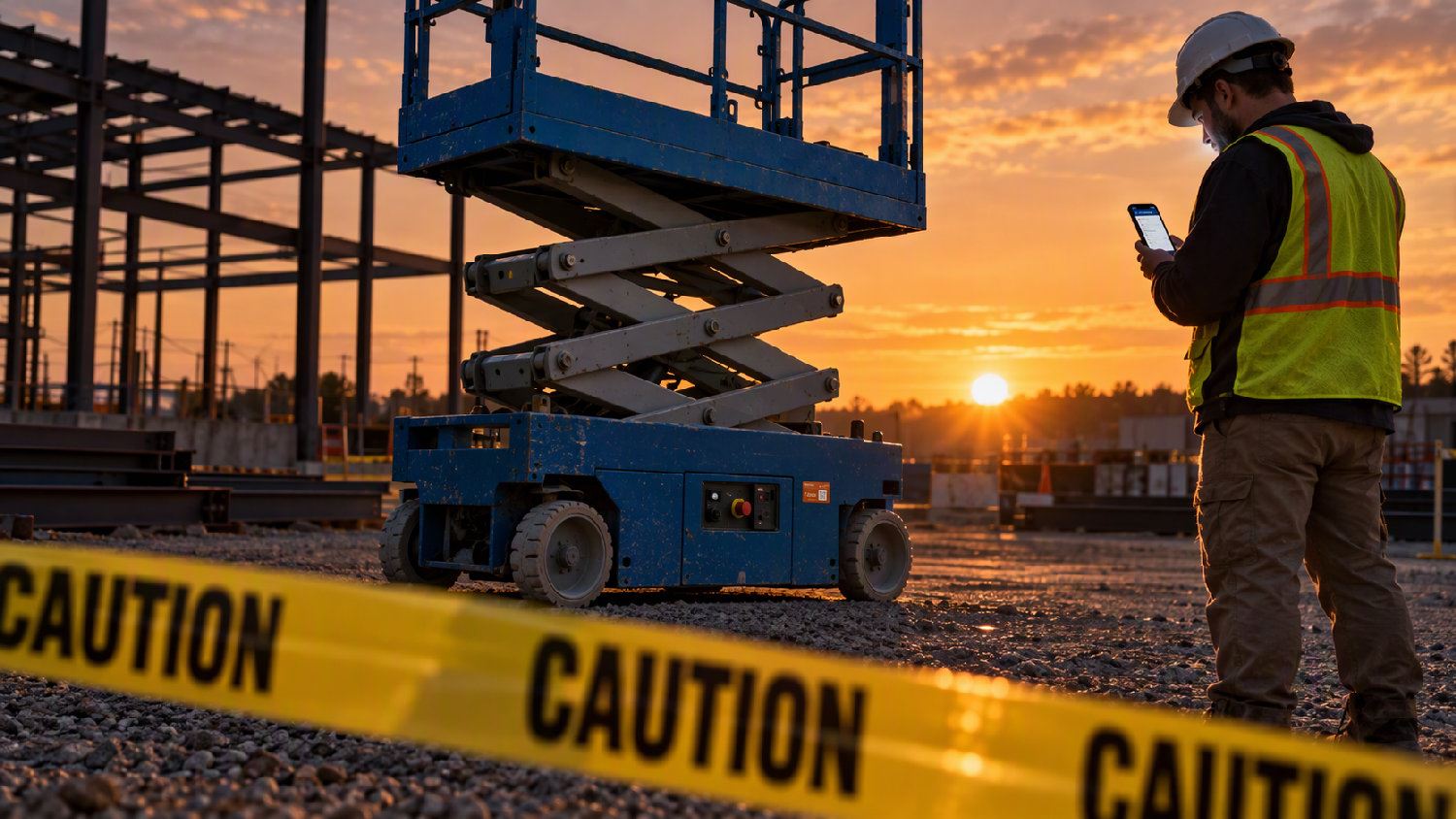
Putting inspection history on the equipment makes dates, photos, notes, and prior observations easier to locate when questions arise.
After a job-site injury, investigators may need to review the equipment’s condition and prior inspection history. Those records are less useful when reviewers cannot readily locate them.
Investigators need context, not assumptions
Investigators draw from several sources after an injury. At the scene, they review physical evidence and the equipment involved. Interviews capture accounts from the injured worker, supervisors, and witnesses. Relevant work plans, training records, and other material add further context.
Equipment inspection history may show when the last check occurred, who documented it, what condition was observed, and whether a photo or note captured a concern. Earlier entries also help establish whether someone had previously reported the condition under review.
OSHA describes incident investigation as a process for finding contributing and root causes rather than assigning blame. Its also calls for participation from relevant managers and employees. No single record answers every question, but each reliable source helps investigators build a clearer account.
Questions arrive quickly after an injury.
Why inspection records become hard to find
On a busy construction site, one possible record trail looks like this: a competent person marks a paper checklist in the trailer, while someone else takes photos on a phone. Foremen may keep notes with the daily report. Meanwhile, an equipment file sits at the main office.
Records may exist even when the investigator does not know where to look or who holds them. Standing beside a Genie GS-1930 scissor lift in Building C, the investigator also needs to identify which entry belongs to that exact machine.
Managing several similar assets makes that distinction even more important. A note that says “lift inspected” does little to separate the GS-1930 in Building C from the Genie GS-2646 parked beside the south loading bay. Serial numbers, asset names, dates, and locations keep one machine’s history from blending into another’s.
Under OSHA’s construction rules, designated competent persons conduct frequent and regular inspections of job sites, materials, and equipment. Those rules establish the inspection practice; they do not prescribe Slate Pages or any specific digital recordkeeping method. Once an inspection is documented, the operational question is how readily the team finds the right record.
Put the history on the equipment
Slate Pages puts an asset’s record on the asset itself. Each item receives a QR tag called a Slate. Standing beside the Genie GS-1930 in Building C, a superintendent scans its tag, and that lift’s record opens on the phone.
With the Slate Pages app installed, the scan opens the asset directly in the app. Without the app, the same tag opens a web view in the phone’s browser. No account is required to scan and read the record.
During routine inspections, that direct path also supports later review. Using the iOS or Android app, a team member updates the record while standing at the equipment. Instead of relying on memory at the end of the shift, the inspector records what is in front of them.
Custom fields keep each Slate tied to the team’s inspection process. For construction equipment, the record might include:
- Asset name, serial number, and current location
- Inspection date and inspector name
- Photos of the controls, guardrails, tires, or other checked parts
- Text fields for readings or checklist results
- Notes or journal entries describing an observed condition
- A URL to the relevant operating document
- The date and details of a follow-up action
Job-site connectivity also matters, so Slate Pages includes offline mode. Back at the office, managers review assets through the web Dashboard in List or Map view. Recipients may also open a shared Slate as a web link in their browser without an account.
Tag material needs to match the setting. Slate Pages offers vinyl or paper stickers, armor-coated PVC, and laser-etched anodized aluminum for harsh environments. For example, a paper label in a protected electrical room faces different conditions than an anodized aluminum tag on a JLG 600S boom lift working outdoors.
A practical post-incident review
Consider an illustrative example involving the Genie GS-1930 at Building C. A worker injury leads the safety manager to review the lift and its recent inspection history. The investigation still includes the scene, interviews, physical evidence, and other relevant records, but the equipment history is no longer a search through unrelated folders.
Here is how the record supports that review:
Confirm the exact asset. The safety manager scans the Slate on the GS-1930 and checks the serial number. This avoids pulling records for a similar lift elsewhere on the site.
Review the recent history. Dated inspection entries show what was recorded before the incident. Photos and notes preserve observations that a checked box alone would miss.
Separate recorded facts from unanswered questions. An entry might show that a guardrail was photographed in place on Monday. It does not establish its condition at the time of an incident on Thursday.
Compare sources. Investigators review the inspection history alongside witness accounts, site conditions, the work plan, and physical evidence. Agreements and conflicts between those sources guide the next questions.
Document the response. The team adds relevant follow-up details to the equipment record, giving later reviewers another documented source. The entry states what was observed and done without claiming more than the evidence supports.
This workflow gives investigators a defined place to review the relevant equipment file. It does not decide why the injury occurred.
What inspection history establishes—and what it does not
A well-kept record shows what someone documented at a particular time. Dates establish sequence. Photos preserve visible conditions within the frame, while notes capture observations and follow-up work.
Those details may help answer practical questions. Was this the same machine named in the initial report? When was its last documented inspection? Did an earlier entry mention the component now under review? Was follow-up work recorded?
Still, a digital entry is not automatically complete or accurate. A checked field does not prove every inspection step occurred, and an earlier photo does not establish the asset’s later condition. Investigators still weigh each record against other evidence.
The distinction matters. Slate Pages makes inspection documentation easier to capture, identify, and retrieve. The investigation determines how much that documentation contributes to the findings.
Design records for the questions people will ask
The best time to improve inspection documentation is before anyone needs to reconstruct a sequence under pressure. Start with one equipment class whose records are difficult to identify or retrieve, such as the Milwaukee MX FUEL cut-off saw assigned to the south staging area or the JLG 600S boom lift at Tower 2.
Then review the fields on that equipment’s Slate. Make sure the record identifies the exact asset, gives each entry a date, supports photos, and leaves room for observed conditions and follow-up notes. Keep factual observations separate from conclusions so a later reviewer can see what the inspector found and what the team decided afterward.
That structure keeps everyday field documentation attached to the equipment when later questions arise.
About Slate Pages
Slate Pages is a QR code asset tracking and recordkeeping tool for construction teams and other field-based industries. Each Slate connects a physical asset to a customizable digital record that crews open and update from a phone, while managers review equipment through a web Dashboard.
Make record access part of the corrective action
When an incident exposes a gap in record access, give future inspections a defined home on the equipment. That change does not settle an investigation; it makes the documented history easier to locate for the next review.
Choose a recent inspection and try to retrieve the exact asset record from the job site. Record where the search slows down. That short exercise reveals where a Slate belongs first—and which fields the equipment record needs before the next urgent review.