
Check Subcontractor Fall Protection Before Mobilization
09/18/2026
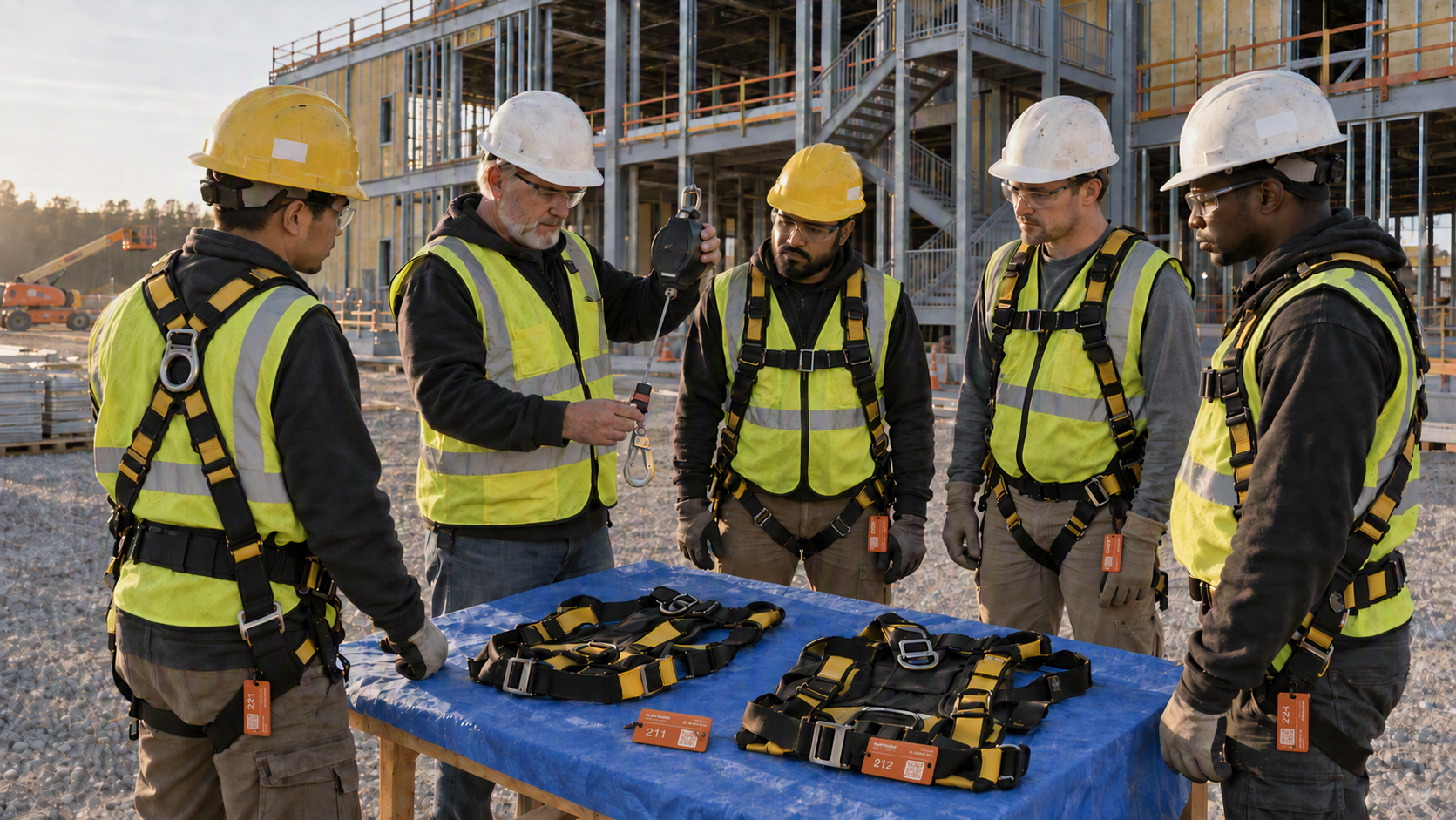
Use OSHA history, training records, and equipment logs to decide whether a subcontractor is ready to start work at height.
Paperwork in a subcontractor packet does not answer the question that matters most: what does this contractor’s safety history show, and is the required proof available where the crew will work?
Before mobilization, check the subcontractor in OSHA’s public establishment search, match written training records to the site roster, and keep equipment inspection records where the work happens.
A repeated history is an early warning
OSHA’s case involving a Florida roofing contractor shows why those checks matter. In July 2026, OSHA proposed about $349,000 in penalties for two willful and four repeat fall-protection violations. OSHA had inspected the contractor seven times since 2023, and every inspection included fall-protection violations. OSHA also found that the contractor had no written fall-protection training certificates for workers at either site. A GC needs a process that looks for those warning signs before a subcontractor sends workers through the gate.
Industry data reinforces the need for that review. Roofing contractors had the highest number of fatalities among construction trades in 2024, with 70 shown in CPWR’s Fatality Map. Specialty trade contractors accounted for 68.9% of fatal falls, slips, and trips in construction that year. Fatal injuries in Construction of Buildings rose 54.9%, from 142 in 2012 to 220 in 2024.
Build those checks into the decision to mobilize.
1. Search OSHA history before approval
Start with OSHA’s public establishment search before the subcontractor mobilizes. An early search leaves time to review what appears and resolve gaps without a crew waiting at the gate.
Enter the subcontractor’s legal name and likely name variations. Review each matching establishment carefully because firms with similar names or several locations may appear in the results. Confirm that the address and business details match the subcontractor being considered.
Focus on the pattern rather than treating the search as a pass-or-fail score. Review:
- The number of inspections shown
- The types of violations connected with those inspections
- Whether fall-protection findings appear more than once
- Whether recent results raise questions about the work planned for your site
- Whether the listed establishment matches the subcontractor and location under review
Search results do not predict how a crew will act tomorrow. They give the GC a public record to compare with the subcontractor’s prequalification answers and planned scope.
Repeated fall-protection findings call for a direct explanation before approval. Have the person providing the explanation add it to Slate Pages, along with notes or links identifying the documents reviewed. Slate Pages automatically stamps the entry with who made it and when. “The office has it” is not a useful closeout when the crew starts roofing on Monday morning.
2. Require written training proof on site
Before work begins, require written fall-protection training records for the workers assigned to the project. Keep those records accessible at the job site instead of storing them only at a distant office or in one supervisor’s inbox.
Set the required information before mobilization. The GC’s review process should make it easy to match each record to a worker, see the training date, and identify the training covered. It should also show the person or organization listed as providing it. Avoid accepting an unlabeled stack of certificates that no one has matched to the site roster.
Match every record to the person on site.
Compare the certificates with the workers who arrive. Proof for someone assigned to another project does not answer whether the roofer approaching the north parapet has documented training.
Keep the proof close to the work. When a superintendent or safety manager asks for it during the Friday roof walk, the record should open without a call to the subcontractor’s office.
Written records do not prove how someone will work throughout the shift. They show whether the subcontractor supplied the requested proof and give field leaders a clear gap to address before work at height begins.
3. Put equipment inspection records at the equipment
Worker training records answer one question. Equipment records answer another: what was checked, when was it checked, and which item does the record describe?
Require the subcontractor to identify the fall-protection equipment assigned to the site and provide the related inspection records. Give field leaders enough detail to match a log to the full-body harness, self-retracting lifeline, or horizontal lifeline in use—not merely to a broad category called “fall equipment.”
Use a consistent record with fields such as:
- Equipment type and unique identifier
- Notes on condition or defects found
- Photos when they clarify which item was reviewed
- Removal-from-use or follow-up notes, when applicable
When the person completing the check adds the result in Slate Pages, the entry automatically shows who made it and when.
Keep each record where the equipment is issued or used. Before a crew uses the 50-foot self-retracting lifeline assigned to Roof Zone C, for example, the site team should be able to match its identifier with the inspection entry.
Without that match, the log exists, but no one standing beside the equipment knows which unit it covers.
4. Treat subcontractor visibility as a GC issue
A GC needs visibility into the subcontractor work happening on its site. That means setting a process for reviewing the subcontractor’s history and keeping current proof available to field leaders.
Do not build the process around the assumption that safety records belong only to the subcontractor. When a roofer works near an open edge on the GC’s project, the GC needs a defined way to review the relevant history and proof.
The process assigns someone to review the OSHA search and compare training certificates with the roster. It also keeps equipment records available for field review. Set a clear response when a document is missing or does not match the worker or item on site.
Field leaders still decide what evidence the site requires, who reviews it, and what happens when that evidence falls short.
5. Use a fall-protection mobilization gate
Turn the review into a repeatable gate instead of relying on email memory. A practical sequence looks like this:
- Define the work at height. Identify the roof areas, lifts, leading edges, floor openings, and other locations tied to the subcontractor’s scope.
- Run the OSHA establishment search. Keep the matching result with the job record and note any repeated fall-protection findings that need an answer.
- Match training proof to the site roster. Confirm that written records cover the workers assigned to the project.
- Match equipment logs to site equipment. Use unique identifiers so field staff know which harness, lifeline, or anchor record they are reading.
- Close gaps before mobilization. Add missing items and the action taken to Slate Pages, which automatically records who made each entry and when. Do not let unresolved records become a field chase after work starts.
- Keep the records at the point of work. Make them available to the people overseeing the task, including when office staff are unavailable.
- Recheck when the crew or equipment changes. A new worker or replacement lifeline changes the evidence that the site needs.
This gate creates a clear decision point: the required proof is present and matched to the planned work, or a named gap remains open.
Keep fall-protection records within reach
Slate Pages supports the equipment side of this process by keeping an identified asset’s inspection record at the point of work. A safety manager standing beside the 50-foot self-retracting lifeline assigned to Roof Zone C scans its QR tag, and that lifeline’s record opens on a phone or tablet through the mobile app or a browser. No account is required to scan and read the web view.
Customizable records include dates, photos, URLs, location details, and notes or journal entries. Team members using the iOS or Android app update the record while standing at the equipment. Every entry is automatically stamped with who made it and when. Managers view information through the web Dashboard’s List and Map views, while a shared Slate link opens in a recipient’s browser without an account.
For the self-retracting lifeline, the record holds its identifier, condition photos, and relevant notes or links. Offline mode exists for work areas with unreliable service.
The GC still collects and reviews the subcontractor’s training and inspection proof. Slate Pages keeps those records connected to the work and equipment they cover, while the safety director resolves missing or mismatched evidence.
About Slate Pages: Slate Pages is a QR-based asset record system for construction and other field teams. It connects physical equipment with customizable records that crews open at the point of work, while managers view information through mobile apps or a web Dashboard.
Start with the next mobilization
Use the next subcontractor mobilization to set a firm evidence deadline before the start date. Leave enough review time to distinguish a name mismatch in OSHA’s search from a repeated finding that requires a direct answer.
Keep three signoffs in Slate Pages at the point of work: OSHA history reviewed, worker training records matched, and equipment inspection logs available on site. Slate Pages automatically records who made each signoff and when, so the safety director does not have to add those details. Update the record when the crew or fall-protection gear changes.